A little gift. A thoughtful gesture.
A little gift for someone you care about.
For someone with a lot on their mind, or someone who would like a little more time away from their phone.
Cappture gives their thoughts, ideas and plans somewhere to wait. They can save what they want to remember, then get back to the walk, the conversation or whatever they were enjoying.
Available on iPhone, Apple Watch, Android and Wear OS.
Something useful for their day.
A thought that keeps coming back.
Give it somewhere to wait, so they can leave it alone for a while.
An idea or plan they want to remember.
Something from a good conversation, a place to visit or a plan for later. Save it before it fades.
A little moment worth keeping.
Something that made them smile. Keep it in Happy and come back to it when they choose.
APPLE · AVAILABLE NOW
Gift Cappture for iPhone
To gift Cappture, you’ll need an iPhone or iPad. You can send it through the App Store, with a message of your own.
How to gift Cappture on iPhone
Send the app as a gift
- Start on your iPhone or iPad. Tap Get Cappture on this page, or search for Cappture in the App Store. Open its app page.
- Choose Gift App. Tap Share, then choose Gift App.
- Add a personal message. Add their email address and your message, choose when to send it, then follow Apple’s prompts to confirm and pay.
- They open their gift. Apple emails them the gift. They open the email and follow the steps to redeem it and download Cappture.
ANDROID
Share Cappture on Android
Cappture is now available on Google Play. Share the app link with someone who might find it useful. Google Play does not offer direct paid app gifting, so the recipient buys it themselves.
How to share Cappture after launch
Share the app link
- Find Cappture after launch. Use the Google Play link on this website, or search for Cappture in the Play Store. Open its app page.
- Share the link. Use the listing’s Share option, or open its page in a browser and copy the address. Paste the link into a message or email.
- Add a personal note. Tell them why you thought of them, then send it.
- They choose whether to buy. They open the link, check the listing and price, and buy Cappture using their own account.
A simple place to leave a thought.
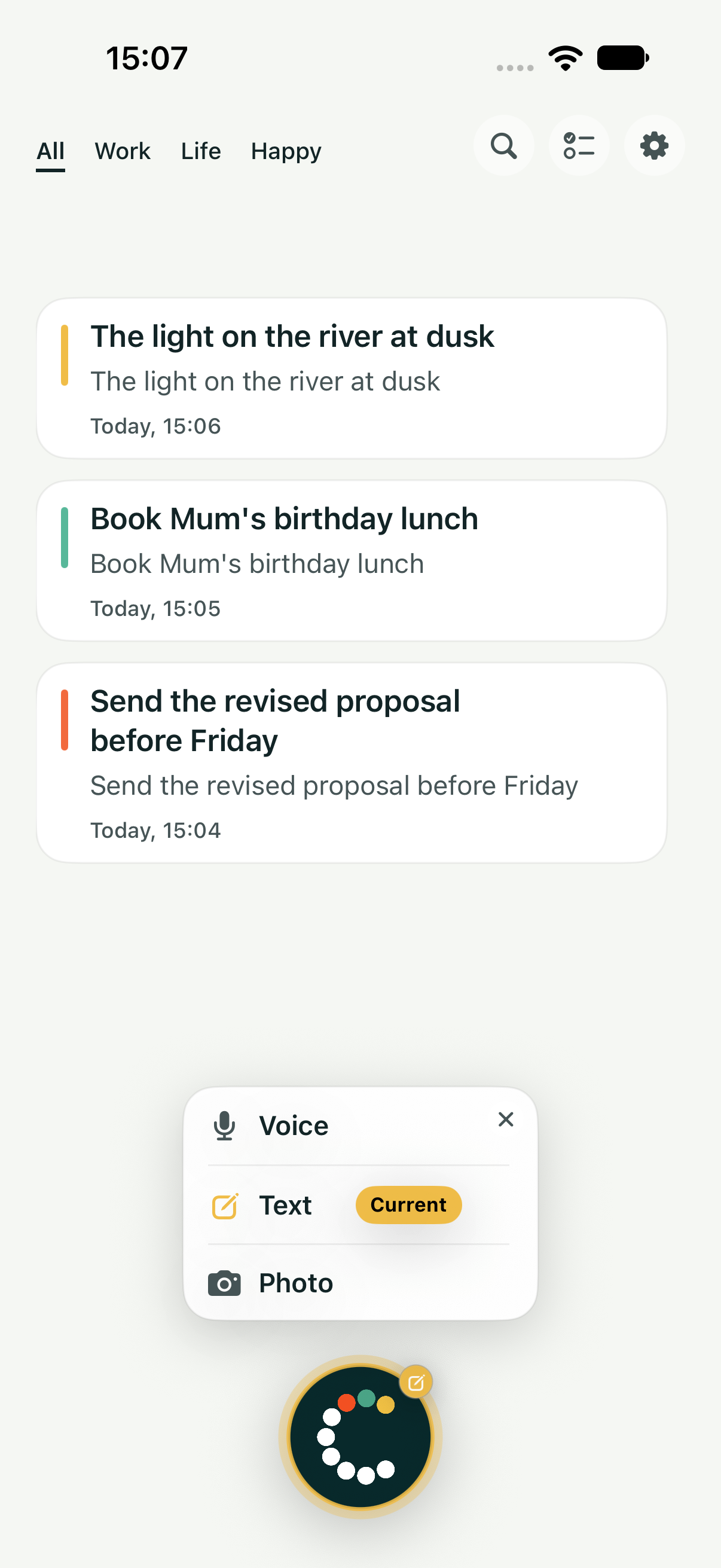
A quick voice note, a few words or a photo. Save the thought in Work, Life or Happy and get back to what you were doing.
The iPhone app works on its own. Apple Watch offers another way to capture when it’s handy. Android and Wear OS offer the same simple place to save a thought.
Connections are kept to what’s needed. Saving a thought doesn’t start an automated workflow. They choose when to return to it and what happens next.